How to Read a Pay Stub?
Your pay stub lands in your inbox or your hand every payday and most people glance at the bottom number, confirm it matches what hit their bank account, and move on.
But there's a lot happening in the lines above that number. And understanding them actually matters — errors on pay stubs are more common than you'd think, and catching one early is a lot easier than fixing it months later.
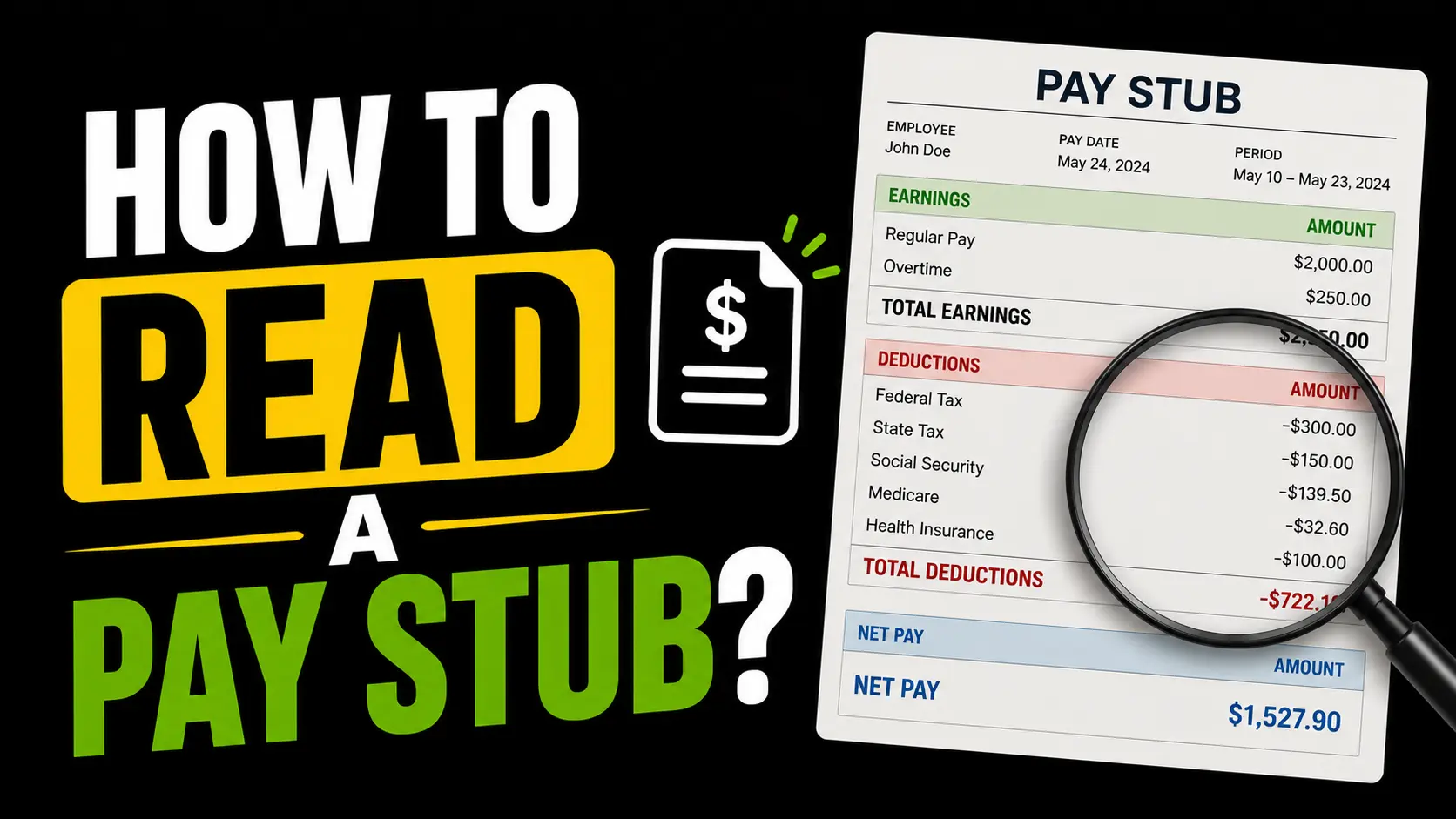
The Top Section: Your Basic Info
The top of your pay stub is straightforward. It has your name, your employer's name and address, your employee ID if your company uses one, and sometimes your Social Security number partially masked for identification purposes.
It also shows your pay period dates — the start and end of the time window this paycheck covers — and the pay date, which is the actual date the money hits your account. These two dates are different. The pay period might end on the 15th, but you don't get paid until the 20th. That gap is normal.
Always make sure your name and any identifying information is correct. Payroll errors tied to wrong personal info can create real headaches during tax season.
Earnings Section: What You Made Before Anything Was Taken Out
This section shows your gross pay — everything you earned during the pay period before a single dollar was deducted.
For salaried employees, this is straightforward: your annual salary divided by your number of pay periods. If you earn $60,000 a year and get paid biweekly, your gross per paycheck is $2,307.69 every single time.
For hourly employees it's a bit more detailed. You'll see your regular hours, your hourly rate, and the math. If you worked overtime, that shows up separately — typically at 1.5 times your regular rate, listed as a distinct line item so you can verify it was calculated correctly.
Some pay stubs also show a YTD column alongside the current period column. YTD stands for year-to-date — it's the running total of everything you've earned since January 1st. This is useful for tracking your total income across the year and for double-checking your W-2 at tax time.
Taxes Section: The Mandatory Deductions
This is the section people spend the most time staring at, usually with a slightly pained expression. Here's what each line actually means.
Federal Income Tax — This is withheld based on your salary, your filing status, and the information on your W-4 form. The amount varies from person to person even at the same salary level, because your W-4 elections control how much gets withheld. If you claimed dependents or additional deductions on your W-4, less gets withheld here.
State Income Tax — Same concept as federal, just for your state. If you live in Texas, Florida, Nevada, Washington, or one of the other states with no income tax, this line either won't appear or will show zero. Everyone else sees a deduction here based on their state's rates and their state withholding form.
Social Security Tax — A flat 6.2% of your gross wages, up to the 2026 wage base of $184,500. No negotiating, no exemptions for most workers. You'll sometimes see this labeled as OASDI on older pay stubs, which stands for Old Age, Survivors, and Disability Insurance — the official name of the Social Security program.
Medicare Tax — A flat 1.45% of every dollar you earn with no cap. If your income goes above $200,000 as a single filer, an additional 0.9% kicks in on top of that. Both Social Security and Medicare together are what people refer to as FICA taxes.
All four of these are mandatory. You cannot opt out of any of them.
Deductions Section: The Stuff You Chose
Below the mandatory taxes, you'll usually find a separate deductions section listing everything you signed up for during benefits enrollment. These are voluntary in the sense that you opted into them, even though they now come out automatically.
Health Insurance — Your share of your employer-sponsored health insurance premium. Your employer covers part of it, you cover the rest, and your portion comes out of each paycheck.
Dental and Vision — Same concept, separate lines if you enrolled in these plans.
401(k) or 403(b) Contribution — Your retirement savings contribution, shown as either a flat dollar amount or the percentage of your salary you elected. This comes out pre-tax, which is why it reduces your taxable income and slightly lowers your federal and state tax withholding.
HSA or FSA — Health Savings Account or Flexible Spending Account contributions if you enrolled. Also pre-tax, also reduces your taxable income.
Life Insurance, Disability Insurance — If your employer offers these and you enrolled, the premiums appear here.
The deductions section is where most pay stub errors hide. If you see a deduction for something you didn't sign up for, or an amount that doesn't match what you elected, flag it with HR as soon as you catch it.
Net Pay: The Only Number Most People Look At
At the bottom of your pay stub, after everything above has been subtracted from your gross pay, you get your net pay. This is the number that matches your bank deposit.
Gross pay minus taxes minus deductions equals net pay. Simple in concept, less simple in practice because of how many things sit between the two numbers.
If you want to know what your net pay should be before you get your paycheck, the paycheck calculator does the math for you — federal tax, FICA, and state tax for the most common states, all based on your actual salary and filing status.
What to Check Every Single Paycheck
You don't need to scrutinize every line every time. But a quick scan for these things is worth doing:
Make sure your gross pay matches what you expect based on your salary or hours worked. Check that your 401(k) contribution percentage is actually being withheld — it occasionally falls off after a payroll system update. If your federal withholding looks dramatically different from last paycheck with no change in salary, that's worth investigating. And if you see a deduction you don't recognize, ask HR immediately rather than assuming it'll sort itself out.
Most errors on pay stubs are honest mistakes. But they're your money, and catching them early is always easier than getting them corrected retroactively through payroll adjustments.